Ändern des Status einer Aufgabe (iOS)
Hintergrund
Sie können den Status einer Aufgabe ändern, während Sie sie mit dem Aufgaben-Tool bearbeiten.
Hinweis: Wenn Sie die mit einer Aufgabe verbundene Arbeit abgeschlossen haben und diese schließen möchten, wählen Sie den Status Geschlossen . Wenn Sie eine Aufgabe schließen möchten, ohne sie abzuschließen, weil die Arbeit nicht mehr benötigt wird, wählen Sie den Status Ungültig .
Wichtige Hinweise
-
Erforderliche Benutzerberechtigungen:
-
Zusätzliche Informationen:
-
Sie können auch den Status einer Aufgabe ändern, wenn Sie einen Kommentar hinzufügen.
-
Wenn eine Aufgabe in den Status "Ungültig" oder "Geschlossen" versetzt wird, sendet das System keine automatischen E-Mail-Benachrichtigungen mehr für diese Aufgabe.
-
Schritte
-
Navigieren Sie mit der Procore-App auf einem iOS-Mobilgerät zum Aufgaben-Tool .
-
Tippen Sie auf die Aufgabe, deren Status Sie ändern möchten.
-
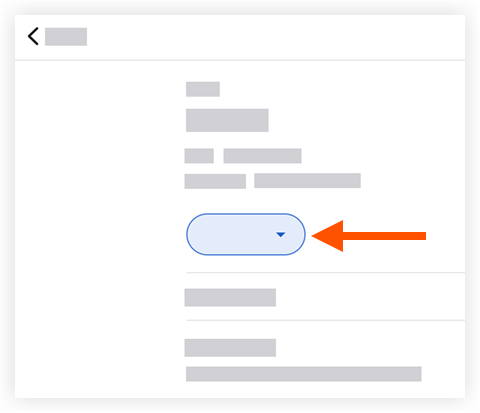
Tippen Sie auf den aktuellen Status der Aufgabe.
-
Tippen Sie auf eine der folgenden Optionen:
Hinweis: Mit dieser Aktion wird der Status der Aufgabenposition automatisch aktualisiert.-
Initiiert: Zeigt an, dass die Aufgabe erstellt wurde.
-
In Bearbeitung: Zeigt an, dass die Arbeit an der Aufgabe begonnen hat.
-
Bereit zur Überprüfung: Zeigt an, dass die Aufgabe abgeschlossen und Bereit zur Überprüfung ist.
-
Geschlossen: Zeigt an, dass die Aufgabe und die Überprüfung der Arbeit erfolgreich abgeschlossen wurden.
-
Leere: Zeigt an, dass die Aufgabe als ungültig markiert wurde.
-